Skip to content
  • Create

    • Image
    • Video
    • Audio· HERE
    • Motion
    • Edit & Enhance

    Platform

    • Creative Board
    • Templates
    • One-click effects
    • Apps
    • Brand kit
    • Models
    • Teams & reviewComing: Shared workspaces, seats and review links a client answers without an account.
    • CreatorsShorts, series and channel art at the cadence your audience expects: the same character every episode, B-roll, voice, music and captions, without a crew.
    • DesignersStills from every image model, kept on brand and consistent, reworked and finished on one canvas, with the price of each run shown first.
    • FilmmakersStoryboards, shots and sound from the leading video models, kept consistent from scene to scene and cut on one canvas, priced before each run.
    • Brands & e-commerceLaunch films, product shots and paid-social cuts in one look, with your brand kit on every card and the price of every run shown first.
    • AgenciesPitch directions side by side before the shoot, direct the client’s pick to a finished cut on a shared board, and price every round first.
    • App & SaaSWrite, voice and cut hook variations for install ads and explainers, in every shape the feeds want, priced before they run.
  • Templates
  • Pricing
    • FAQAnswers about templates, credits and plans, models, AI disclosure and your account.
    • TrustHow credits, refunds and AI disclosure work: what the product enforces today, and what is coming.
    • GuidesGuides for marketers: UGC ad hooks, 30-second scripts, creative testing, aspect ratios and the FTC rule on AI presenters.
    • ChangelogEvery change to Vessero you can see, with the date it shipped.
    • ToolsSmall tools for single jobs, each marked free or paid. The hook generator and the UGC script generator are free and need no account.
    • CompareVessero side by side with Higgsfield, Magnific, Krea, Runway, Arcads and Creatify: what each offers and costs, and where each is the better choice. Dated and linked.
    • AboutWhat Vessero is, who it is for, and the rules it is built by.
    • ContactTalk to the Vessero team about your account, plans for teams, or a partnership.
    • AffiliatesEarn 25% of every subscription payment for a customer’s first 12 months. For creators, agencies and educators who teach people to make images, video and ads.
Sign inStart
Start

Vessero is the AI creative studio: image, video, sound and motion from the best models, finished on one canvas with captions, motion, your brand and many versions, for creators, designers and the teams that ship ads.

People in our videos are AI actors unless we say otherwise.

Product

  • Image
  • Video
  • Audio
  • Motion
  • Edit & Enhance
  • Creative Board
  • Templates
  • One-click effects
  • Apps
  • Brand kit
  • Models
  • Pricing
  • Effects

Solutions

  • Creators
  • Designers
  • Filmmakers
  • Brands & e-commerce
  • Agencies
  • App & SaaS

Resources

  • FAQ
  • Trust
  • Guides
  • Changelog
  • Tools
  • Compare

Company

  • About
  • Contact
  • Affiliates

Legal

  • Privacy Policy
  • Terms of Service
  • Cookie Policy
  • Delete your data
  • Security
  • Legal notice

© 2026 Vessero · A product of Forgutti Unipessoal Lda

hello@vessero.com

Product · Audio

The voice and the score, cut into the finish.

A voiceover read from your script and a music bed from a brief, each on a card of its own — wired into the cut, with the captions timed to the words. Every take priced before it runs.

Open VoiceOr open Music

The finish

Captions that land on the word.

The finish card listens to the cut and times every caption to the word it belongs to, whoever speaks it: a voiceover from the Voice page, a presenter, or your own recording. The ad beside this was spoken by its clip’s model and captioned by the finish card.

Today
Word-timed captions on any voice · Narrated motion from a script
How the finish works
  • An 8-second vertical ad for Tallyo, an invented budgeting app: Omar, an AI actor, holds a phone showing the Tallyo app to camera and says, “Here's what Tallyo does: every bill and every card on one screen, and what's left to spend.” Captions, a product call-out and an AI-generated label are laid over the clip.AI actor

    Made with Vessero · Veo 3 Fast · 8s · 90 credits

    Tallyo · Budgeting appOmar, Middle East & North Africa

How it works

Step by step.

  1. 01

    Voice it

    Paste a script and pick a voice. A take costs 30 credits per 1,000 characters, shown before it reads.

    Today
    The price before every take
  2. 02

    Score it

    Describe the track — the mood, the tempo, the instruments — and a music card writes it, 30 credits a generation.

    Today
    Music cards on the board
  3. 03

    Wire it in

    On a board, a voice card reads the text wired into it, and its take can drive a talking presenter or the captions of a finish.

    Today
    Voice and music cards · Captions timed to the take
  4. 04

    Add the sound

    A sound effect from a description — a door, a crowd, a swell — on the Music page and on a board’s music card.

    Today
    Sound effects from a description

What it costs

The price is on the button.

A take that fails refunds itself. A take you did not like has used the run.

Plans and credit packs
  • Voiceover · ElevenLabs30 credits per 1,000 characters
  • Music · Suno V630 credits per generation
  • A sound effect5 credits

Models · Voice by ElevenLabs; music by Suno V6.

Templates

Start from a finished board.

Each arrives with its stages titled and every card already run. Opening one is free; nothing is charged until you press Run.

Every template
  • Audio · 2 stages

    Music bed and visual

    A mood becomes a track and a matching still — a background for anything you cut next.
  • Clip

    Social media · 2 stages

    Narrated social clip

    A script becomes a voiceover, a key visual and a vertical clip — the parts of a short.
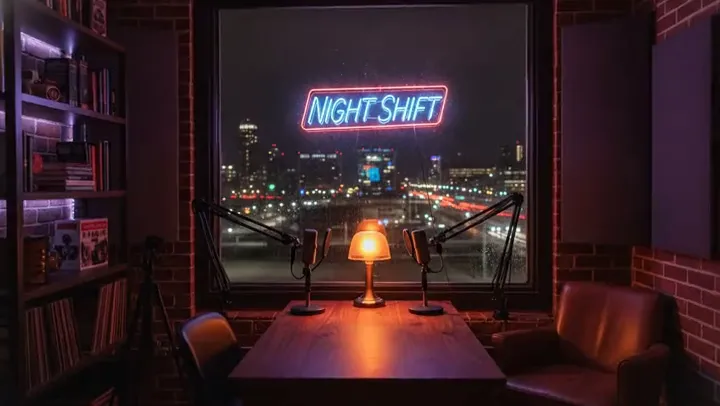
  • Clip

    Audio · 2 stages

    Create a podcast scene

    A cold open, a voice to read it, and a set to put behind it.

Questions

Asked first.

For creatorsThe finish, in detail
  • Which voices can I use?

    The ElevenLabs voices in the Voice picker, on the Voice page and on every voice card. Each take shows its price before it reads.

  • Will the captions match the voice?

    Yes. A finish card times every caption to the words as they are spoken in the cut, so the captions follow the voice rather than a script it may have strayed from.

    The finish card
  • Can I make sound effects?

    Yes: describe the sound on the Music page’s Sound effects tab or on a board’s music card, and see its price before it runs.

  • Can I use what I make commercially?

    Yes: what you make is yours to use, and we claim no ownership of your prompts, uploads or results. AI output may not be unique to you, and copyright in AI-generated work is unsettled in many countries; the Terms set this out in full.

    Terms of Service